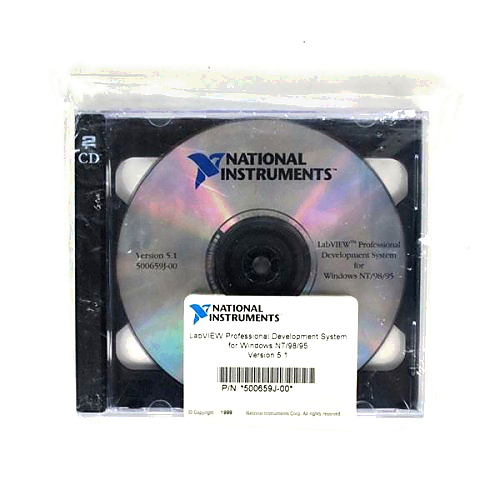
LABVIEW 5
1 image: Click to enlarge
National Instruments · LabVIEW

LABVIEW 5

LABVIEW 5 is legacy National Instruments development software using virtual instruments and block-diagram programming. Confirm the exact release and development-system edition when matching an existing installation.

ManufacturerNational Instruments
ModelLABVIEW 5
Product TypeDevelopment software
● Available to Order
Condition: confirmed per unit

Request current pricing and lead time for this model. Our team will confirm the exact equipment configuration and condition.

Fast RFQ

Quote: LABVIEW 5

We will reply by email.
Free Shippingfull policy linked
30-Day Warrantystandard coverage
30-Day Returnspolicy applies
Technical Supportmodel & compatibility help
Software familyNational Instruments LabVIEW 5
External code integrationCode Interface Nodes (CINs)
VI protectionPassword protection supported in LabVIEW 5.0 and later
Edition identificationResource files distinguish Base, Full, and Professional installations
SOHO Assistant
Ask about this exact model, a replacement, accessory, driver, rental or repair question.
Ask about specifications, compatibility, availability, rental or repair.
Ask SOHO Assistant
Overview

Product overview

Key product information and technical features.

The development-system edition is important when identifying an installation. NI documents resource-file checks for LabVIEW 5.0 and later: provers.rsc identifies Professional, fullvers.rsc identifies Full, and the absence of both identifies the Base package.

  • Code Interface Nodes connect compiled code written in conventional programming languages to LabVIEW block diagrams.
  • LabVIEW 5.x supports multithreading on supported operating systems, including Windows 95 and Windows NT.
Verified specifications

Technical data

Verified product specifications.

External code interfaceCode Interface Nodes (CINs)
MultithreadingSupported by LabVIEW 5.x on supporting operating systems
VI password protectionSupported in LabVIEW 5.0 and later
Condition & included items

What the actual unit includes

Confirm condition, included accessories and revision before ordering.

Condition

Confirmed per unit.

Included

Device / accessories confirmed in quote.

Revision

Exact revision confirmed when relevant.

Compatibility

Complete the measurement chain

Review system components and compatibility requirements.

National Instruments

Manufacturer

LabVIEW

Software development environment

LABVIEW 5

Catalog software model

Professional edition identification

For LabVIEW 5.0 and later, NI identifies provers.rsc in the resource directory as an indicator of the Professional Development System.

Confirm the minor release, edition, operating system, and hardware-driver requirements before matching an existing system.
Manuals & software

Technical resources

Manuals, software and technical resources for this model.

Shipping, warranty & returns

Commercial terms

Review shipping, warranty and return terms before ordering.

Shipping
Free Shipping. Full policy terms apply.
Warranty
30-Day Warranty. Standard coverage applies.
Returns
30-Day Returns. Return policy applies.
Price / Availability
Contact SOHO ProLab for current quote and availability.
Lifecycle services

Source, rent or repair the exact model

Choose pricing, rental or repair for this exact model.

Explore equipment

Data Acquisition and Control Systems

Shipping, warranty and returns

FAQ

Product-specific questions

Product-specific answers based on available technical information.

How can I identify a LabVIEW 5 Professional installation?

NI recommends checking the labview\resource directory for LabVIEW 5.0 and later. The presence of provers.rsc, either alone or with fullvers.rsc, identifies the Professional Development System. This check identifies the installed edition, not the contents of this catalog item.

Can LabVIEW 5 integrate external compiled code?

Yes. The contemporary NI Code Interface Reference Manual describes Code Interface Nodes that link compiled external code to a LabVIEW block diagram and exchange data with it.

Does LabVIEW 5 support password-protected VIs?

NI documents VI password protection for LabVIEW 5.0 and later. Keep an unprotected backup in a secure location; NI states that it cannot unlock password-protected code.

Ask SOHO AssistantProduct & compatibility help